Matthieu BAILLY
Game Designer

Essay
(French)
Resume
(French)
Resume (English)


Shift


A 3D platformer/puzzle game in FPS view, where you play as a robot captain in a drifting space cargo ship. Transporting the remains of humanity, he is determined to repair the ship for the survival of the human species, but something is wrong...
Last year student project, carried out with Loeiz Legrand, Carla Herry, Marie Duarte and Nicolas Cotté.
Genre
Platformer / Puzzle
Support
PC / Unreal Engine 4
Date
September 2022 - June 2023
10 months
Roles
Game Designer,
Level Designer,
Script Blueprint,
Intégration,
VFX Artist,
Game Tester
Context
Shift is my last year study project, for which my group and I had total freedom over its direction. Instead of carrying on last year's game as originally planned, we decided to use the experience gained with Synos to start game development from scratch and confirm our knowledge in production.
Shift was released on itch.io on July 2023, and was elected Best Student Game of 2023 by a jury of industry professionnals (Ubisoft, Don't Nod, Amplitude, Kylotonn).

Trailer
Here is Shift's trailer video!
Game Design
The Shift project went through many changes during its development, and this also applies to the game's concept.
Concept origin
The intention was to create a game that the whole team wanted to make and play afterwards, while taking into account everyone's skills.
Because we were targeting ourselves, it was collectively decided that we would make a 3D first-person adventure game focused on a narrative involving two alternating visions of reality, hence the game's name. The player navigates a drifting spaceship controlling a robot. Our search for similar references led us to Portal, which then served as inspiration (among others) for defining our game's genre and its core mechanic, which would also be its USP: a single-player puzzle platformer where different shapes can be summoned using Unreal Engine's physics engine to progress through the game's levels.

Concept Mockup by Loeiz Legrand
Features
Development of the various mechanics truly began once the game's genre was defined. Each mechanic addressed a specific need within the game, ensuring that the player wasn't overwhelmed with unnecessary elements. I then iterated extensively to make these mechanics both relevant and enjoyable to use.
-
Movement
-
Basic
Every platformer needs basic movement controls to move the character on the ground. In the case of Shift, I decided to keep the ground controls simple: omnidirectional movement, a button to jump high or low depending on how long you press it, and a button to hold down to run. The goal was to minimize the number of buttons and create a sense of familiarity for platformer players, who would be confronted with the game's core and unusual mechanic.
Basic but central to the gameplay, movement speed, jump height, and running speed were meticulously calibrated, tested on a custom calibration level, and validated by the entire team to allow for the construction of the final levels based on these settings.

Showroom movement gameplay part screenshot
-
Jump Pad
To avoid repetition and to vary the challenges, I also designed and integrated special means of movement using specific supports. This then allowed me to imagine and build level sections entirely focused on movement, alternating with puzzle sections that utilize the game's special ability, with the aim of achieving a rhythm that keeps the player engaged for as long as possible.
The Jump Pad is a round platform, recognizable by its green color, that allows for a vertical jump with adjustable force, which can be adapted by the Level Designer to suit any situation.

-
Magnetic Walls
While searching for original means of locomotion consistent with the spaceship environment and feasible for a robot, I came up with the idea of creating magnetic walls for lateral movement along walls rather than the ground. These walls use the character's holding ability to maintain contact, requiring the player to hold down this button to avoid falling. The player can also reverse the polarity of their hands, which serve as magnets, to perform a long jump in the direction they are looking, simply by pressing the jump button. The magnetic walls were also designed for quick placement within levels using an X and Y placement tool.
-
Zero Gravity
With the aim of offering a varied gameplay experience consistent with our universe and compatible with our special ability, we collectively decided to implement a zero-gravity section inspired by Dead Space. As the name suggests, in this environment, movement controls are completely different from those used on the ground to best simulate this radical change, while still using the same buttons. In zero gravity, the player propels themselves in the direction they are looking by holding the jump button and stabilizes with the run button. It is also possible to move laterally relative to where the player looks using the omnidirectional movement controls.

Zero-gravity section of the showroom gameplay screenshot
-
Special Ability
The core of our game lies in the character's special ability to summon various physically-simulated "shapes", allowing them to progress through the ship's interior. As such, players can find their own solutions to the puzzles by combining these shapes.
This ability is activated by holding down two dedicated buttons simultaneously, simulating the concentration required to summon these shapes. For clarity, the camera switches to a third-person view over the character's shoulder, providing a broader perspective on the shapes.

Uncrossable hazard

Plank summoning

Crossable hazard
When multiple shapes are unlocked, they automatically cycle during concentration to convey a sense of limited control, central to the story. It is still possible to pause this cycle to facilitate shape placement, particularly for rotating them.
To prevent players from getting stuck, I've also included a shape removal button that allows players to remove a shape they placed earlier from a distance, simply by looking at it. If the player isn't looking at any shape, the last one placed will be automatically removed instead for ergonomic reasons.
To prevent potential abuse, I've limited the use of this ability to restricted areas, the number of shapes present simultaneously per area, and the concentration time, simulating character fatigue from prolonged focus. If the character exceeds this last limit, the player's vision will switch to "chaos" mode, where the ship appears more dilapidated and shape placement becomes chaotic. They will have to wait a short time before being able to use concentration again.
-
The Plank
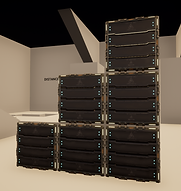
The four shapes available in the game were designed to have immediate uses on their own, but also to create combinations with each other, giving players the freedom to find their own solutions. The plank is an elongated shape that can fill uncrossable gaps without running, block lasers, and provide height when placed on the edge of a cube. In the game world, it is actually a data storage unit.

-
The Sphere

The sphere is a shape whose primary function is to move independently of the player by rolling down slopes to activate ship mechanisms. It is small enough to pass through the cylinder, allowing it to pass above holes. It was also designed to be an energy core within the game world and can activate systems by fitting into designated slots.
-
The Cube
The cube essentially acts as a lever for the board, allowing access to areas too high to reach by jumping or using the plank alone. It serves as a cargo crate for the ship within the game world and can also activate pressure plates within it.

-
The Cylinder

The cylinder is the most complex shape in our game. It was designed to act like a hamster wheel, which the player can enter and roll through to safely pass over chasms or lasers. The sphere can also enter it for the same purpose. The cylinder is actually a cryogenic chamber with its lid and base removed.
-
Physic-simulated objects manipulation
Numerous tests with the special ability showed a need for control over the shapes the player spawns, allowing them to be repositioned without having to delete and then respawn them.
This led me to the idea of giving players the ability to grab and move objects subjected to the game's physics, similar to the Gravity Gun in Half-Life. This mechanic uses the same button as the one for attaching to magnetic walls to simulate a magnetic pull on the manipulated objects. This opened up new possibilities, particularly in zero-gravity areas where many physics-dependent objects became manipulable. A throwing mechanic was also added to allow players to throw or repel these same objects and simplify navigation in zero gravity.

Physical manipulation of a sphere in a zero-gravity room
-
Hazards
Several hazards have been put in place in the game to challenge the player's skills during the movement phases and force them to think about how to progress through the puzzle phases.
-
Unstable platforms
The unstable platforms react to the presence of the player or an object on their surface and collapse after a few seconds. This mechanism was designed to force the player to maintain momentum and encourage them to keep moving. These platforms were primarily used for the game's parkour sections and helped emphasize the sense of urgency in the game's ending sequence.

-
Electric arcs

Electrical arcs are hazards that inflict damage over time when touched. They were primarily designed to test the player's ability to move in zero gravity without drifting too much, which is why they are mostly found in zero-gravity areas. Besides this use, they also serve to render certain surfaces unusable for the player, forcing them to use their special ability to cross them.
-
Lasers
Lasers are the most dangerous obstacles in the game because they instantly destroy the character on contact, but they are not impassable: it is possible to block them with any object to pass through safely. This is why we have placed them both on obstacle courses where the player cannot block them, forcing them to follow the intended path, and also as an element in puzzle rooms where they can be overcome thanks to the shapes the player can create.

Level Design
Shift's Level Design was guided by the game's universe and its narrative, making it a collaborative effort with Carla Herry, Narrative Designer on the project.
Ship Concept
The initial concept of the ship by our Environment Artists, based on the game's narrative, strongly influenced its Level Design.
The game's narrative revolved around abortion, and we wanted the ship to feel like a distinct, living entity as the player explored its interior, despite its dilapidated state. Our Environment Artists created assets using organic codes inspired by underwater creatures to design the ship's interior, breaking with the brutalist style often seen in science fiction. Our Sound Designers, meanwhile, added ambient sounds reminiscent of animal howl echoes.


Reference material for the ship


Screenshots of the ship's interior with rib-shaped corridors and moving cables.
The aim was also to give the player a labyrinth-like feeling inside the ship, with numerous detours due to the damage it sustained, so they would feel disoriented even on a linear path. This is why we decided not to create an exterior design for the ship, and to give free rein to our imagination for the game's critical path.
The level design was therefore conceived as an organic internal structure for the ship, unconstrained by any conventional spaceship construction logic.
Game Structure
Before we started working on the game engine, Carla and I planned to build the game to avoid repetition and keep the player's sense of surprise for as long as possible to encourage them to complete the game.
One of the game's narrative pillars is helplessness, and we wanted the player to gradually lose the illusion that the ship could be saved as they progressed. The beginning of the game offered a glimmer of hope, and the ending had to force the player to accept that the ship and its inhabitants were already lost. Therefore, we decided to bring the beginning and the end together in the same place for maximum contrast within the ship's cockpit, creating a loop.

Game flowchart
Besides the highly narrative cryosleep chamber room, where we wanted an intense, best-of ending sequence, the number of levels represented by rooms was guided by our desire to create varied challenges using all our game mechanics, and by our desire to have believable spaceship rooms. We initially developed these levels separately before considering the order to adopt to ensure game coherence.
Initially, we looked for a way to prevent the game's gameplay from becoming monotonous. We decided not to give players all the tools at once, but rather to distribute these mechanics throughout the game so they could regularly experiment with something new. The unlock order allowed us to create an initial draft of the level order, which depended on acquiring these abilities. Subsequent testing showed that this approach worked, as no tester ever complained of boredom while playing.
Next, we looked at the repetitive nature of the level content. Some levels focused on movement abilities, while others centered on using the special ability to solve puzzles. This gave us the idea to alternate pairs of levels based on this criterion, even though it required adapting some of them and reordering the levels, or even removing some due to a lack of time to properly adapt them, such as an entire section dedicated to the cylinder.
Finally, once the order of the levels was established, we made sure that they looked progressively more dilapidated even without the chaos mode filter in order to evoke the feeling of the ship's perdition, with the narrative climax placed as originally planned in the cryogenics room where the ship's escape sequence takes place.
Scripting
I was responsible for all of Shift's scripting, except for the sound, which was handled by Rémi Darmedru. This experience allowed me to greatly develop my existing Blueprint skills, as well as learn new ones. It would be impossible for me to show all the Blueprints I created or their connections to other Blueprints, but you'll find a selection of my best individual works below.
Character
I used the Unreal Engine first-person character blueprint as a base to retrieve its Character Movement Component. I then modified it to my liking, centralizing all the scripts concerning game controls and the camera, which made it the most important blueprint of the project.

Character Event Graph
To maintain proper readability, I compartmentalized each mechanic in a comment box named after the mechanic in question, and made all the internal mechanics of the character communicate with each other using Custom Events so as not to cross execution flows.
For mechanics communicating with Blueprints external to the character, such as interaction elements or the game interface, I used several Blueprint Interfaces themselves named according to their function.
For one-off communications of variables from one Blueprint to another, not necessarily requiring a BPI, I also used several Cast To nodes integrated into functions from a Function Library so that they are accessible from any Blueprint.
Since it is the center of the game, the character's Blueprint contains 31 functions, 4 macros and 96 variables.
Here is a detailed explanation of the character's acceleration mechanics in zero gravity:

Zero gravity acceleration script
The general principle of this action is to continuously apply a force in the direction the player is looking to the body of the character, not subjected to gravity.
So I started by using an InputAxis node linked to a controller trigger or a keyboard key so that I could launch this script at each tick and allow control of the acceleration by continuous pressure.
Next comes a variable check using a Branch node to ensure that this script only activates at the right times and is inactive the rest of the time. In this case, I'm asking the game to check that the character is indeed in zero gravity mode using the variable "0g?" and that they are not simultaneously stabilizing using the variable "Braking 0G?". If both conditions are true, then the script will activate the Add Force node.
The Add Force node, when activated, uses the forward vector of the character's first-person camera to create a direction relative to the character's position in the world. This direction is then converted into a force that the node can apply to the character, represented here by the "Capsule Component". This propels the character in the direction they are looking, while also maintaining the inertia of the environment in zero gravity.
Finally, to prevent the accumulation of movement force from becoming too great to control, I created a macro to regulate the character's velocity, which is always activated after the application of additional force:

Zero-gravity velocity regulation macro
This macro starts by checking, using a Branch node, that the velocity does not exceed minimum and maximum values defined by two variables "Min 0g Velocity" and "Max 0g Velocity" on all axes.
At any time when these values are exceeded on one of the 3 axes, a "Set All Physics Linear Velocity" node readjusts the character's velocity vector with the values defined by the limit variables so that the player can continue to move forward at maximum speed regardless of direction.
Menus
Shift's menus use Blueprint Widgets I designed entirely myself in order to bypass certain restrictions of Unreal Engine.


Main menu event graph
The menus all function the same way: several buttons are arranged in a list, and the selected button corresponds to an integer variable that changes depending on whether the player uses up or down. This same variable is then used to trigger the corresponding button's script when the player confirms their choice, as shown above. I preferred this custom system to Unreal's Keyboard Focus because by controlling an integer variable, I could ensure that as soon as one end of the list is reached, the player can immediately access the other end by continuing in the same direction.
The most complex menu in the game is the Options menu, which contains a large number of elements and submenus:


Options menu event graph
All the items in the options menu have been sorted by category and organized into Widget Panels within the overall Widget Blueprint to simplify its implementation. There are three submenus: Gameplay, Controls, and Sound, each containing several parameters that the player can adjust as desired. To ensure these settings are retained throughout the game, each parameter change is saved in a Game Instance and thus restored when the menu is reopened.
Level Streaming
Shift uses Level Streaming to regulate the load on the game's support CPU and avoid lag.

Content Browser level organization
I divided the entire game into levels numbered from 00 to 11, each composed of six sub-levels containing, respectively, the architecture, blueprints, special effects, lighting, props, and sounds. Transition levels between each level were also created to maximize control over game loading. This level architecture allowed us to work efficiently: by using source control, each team member could work on a different aspect of the same level simultaneously without risking overwriting another member's work.
Here is the Blueprint I created to manage the loading of these levels:

Level Streaming Master event graph
To avoid performance losses during the game, I decided to load the entire game before starting to play.
The Blueprint Level Streaming Master starts automatically as soon as the player enters the game's permanent level. It begins by displaying the game's loading screen to hide the actual world loading, then retrieves and stores all the levels to be loaded in an Array variable.
Next, a loop that runs every 0.01 seconds uses this array and an integer variable called "Buffer Load Level" to check if a level is valid. If so, it attempts to load it and then moves on to the next level until all levels are loaded. When a level is loaded, I also advance the loading bar using the buffer variable so that it accurately reflects the game's loading progress.
Once all the levels are loaded, I display the necessary ones during the game's opening sequence and launch it when a character is present. To simplify debugging, I've also made the game launch in God Mode if the character is absent; this doesn't happen once the game is exported but allows developers to easily test the game.
Level Building Tools
I also had the opportunity to create Level Building tools to simplify the construction of game levels.
My goal with these tools was to simplify the work of level builders as much as possible when creating game levels, while remaining easy to use. Therefore, I created several tools for multiple level building applications.
Here is an example of a wall generator:


Wall generator construction script
This tool is a Blueprint using two exposed Integer variables in X and Y to display what a wall of these dimensions would look like, using an example of each available wall mesh type. In Shift, our walls have baseboards and can be of two different sizes, named here "2x2" and "2x4". All these elements are automatically arranged together in the Blueprint's Construction Script to form a movable wall within the editor. Level Builders can thus quickly create rooms without having to place all the meshes themselves.

Wall generator event graph detail
When the wall appears satisfactory, the tool then allows it to be implemented in the game world using a Call In Editor Event. By activating this Event from the editor, a loop is launched for each type of mesh in the preview, which is replaced by a similar mesh placed in the game world in the exact same location, thus building the entire wall with a single click.
To add some variation to the walls and avoid monotony, we prepared several different meshes for each type of wall mesh. This allowed me to automatically randomize the meshes when replacing them in the game world, creating the desired effect of non-repetition when generating the wall using this tool.
Documents
Here you'll find documents and links related to this project, for more details.
Shift GDD